Always different
Every time you use the command, a new maze is created. Every maze always has a way out.
Secret doors, sneaky traps and a timer. One command builds it all around you. For Minecraft Bedrock.
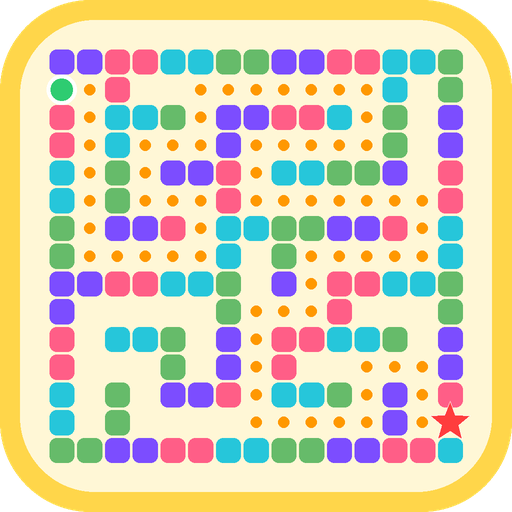
Call your friends, jump in together and see who escapes first.
Every time you use the command, a new maze is created. Every maze always has a way out.
41x41 blocks by default, or anything from 15x15 up to 61x61.
Mossy cobblestone walls. Step on the pressure plate next to one and it opens for 8 seconds.
Every 90 seconds, two doors open or close by themselves. The way that worked before may not work now!
Invisible floor tiles that slow you down, turn everything dark or send you back to the start.
When you reach the exit, your time is announced in the chat. Perfect for a challenge.
Emerald floor marks the entrance. Redstone floor marks the exit.
Family friendly: traps are just surprises and never cause damage. The maze is built with normal Minecraft blocks.
It works on Minecraft Bedrock 1.21.60 or newer. Tested on version 26.52 on Android.
| Item | Status |
|---|---|
| Edition | Bedrock only. It does not work on Java Edition. |
| Minimum version | Bedrock 1.21.60 |
| Android | Tested (version 26.52) |
| iPhone and iPad | Should work (same game), not tested yet |
| Windows | Should work, not tested yet |
| Xbox, PlayStation, Switch | You can't import .mcpack files on consoles. Console players can join a friend's world that has the pack. |
| Cheats | Must be on in the world to use the commands |
| Experiments / Beta APIs | Not needed |
| Multiplayer | Yes! Only the host installs it; friends just join. |
| Realms and servers | Not tested yet |
Heads up: the command clears the blocks in an area of about 20 blocks around you. Use it on open ground or in a flat world, far from your builds.
Download the file RandomMaze.mcpack and open it with Minecraft.
That happens on some phones, like Samsung Galaxy. Install the free File Manager+ app, open the RandomMaze.mcpack file with it and choose Minecraft.
It worked when you see Import successful. The pack is in Settings → Storage → My Packs (not in “Global Resources”, which is only for textures).
Turn on the pack and cheats in the world where you want to play. A new world or one you already have.
Tip: a Flat world is the best place for mazes, because nothing gets in the way. No experiments needed. Turning on cheats turns off achievements in that world; that is a Minecraft rule, not something from the pack.
Stand in the middle of where you want the maze and type this in the chat:
| Command | What it does |
|---|---|
/function maze | Builds a new 41x41 maze around you |
/scriptevent maze:new 25 | Builds a maze of the size you choose (15 to 61) |
/scriptevent maze:test | Checks that the pack is working |
Install the free File Manager+ app and open the file with it, choosing Minecraft. Or, inside Minecraft, go to Settings → Storage → Import.
That's normal: behavior packs live in “My Packs” and are turned on inside each world (Edit world → Behavior Packs).
Turn on cheats in the world settings (Game → Activate Cheats).
Type /scriptevent maze:test. If nothing answers, the pack is not turned on in this world.
The pressure plate is right next to the door. Step right on top of it.
The command clears the area around you. Always use it far from your builds.
No. Only the person who hosts the world.
Yes! We just ask you to put the link to this page in your description. You may not sell it or re-upload the file to other sites.